Data
Organize business information into persistent knowledge. Preserve identity, sources, and version history as information arrives and changes, giving each new interaction a foundation to build on.
QORBIT NEURAL FABRIC
Work through Qora, use tools from connected applications and follow developments with Signal. Neural Fabric is the persistent, governed layer for business knowledge, relationships and recorded history.

01 / THE FOUNDATION
Organize business information into persistent knowledge. Preserve identity, sources, and version history as information arrives and changes, giving each new interaction a foundation to build on.
Connect information across the business. The Fabric Engine measures relationships and follows connections across entities to surface the context relevant to a question, task, or changing condition.
Turn changing conditions into a timely response. Signal monitors connected information and surfaces what needs attention. Configured triggers can initiate supported responses.
Keep business knowledge accountable. Tenant boundaries and access controls govern availability, while provenance preserves where information came from and how it changed.
Neural Fabric runs on Qorbit’s proprietary database kernel. Mathematical coupling identifies relationships among stored entities, giving people a way to investigate connected information and inspect why records relate. Developers
02 / QORA
Ask questions, create work and use tools from connected applications through Qora. Work with relevant business information and inspect the sources and relationships behind a result. Choose Anthropic / Claude, OpenAI, xAI / Grok, Moonshot AI / Kimi, or DeepSeek. That provider and model power Qora and classification, and your business knowledge stays in Neural Fabric.
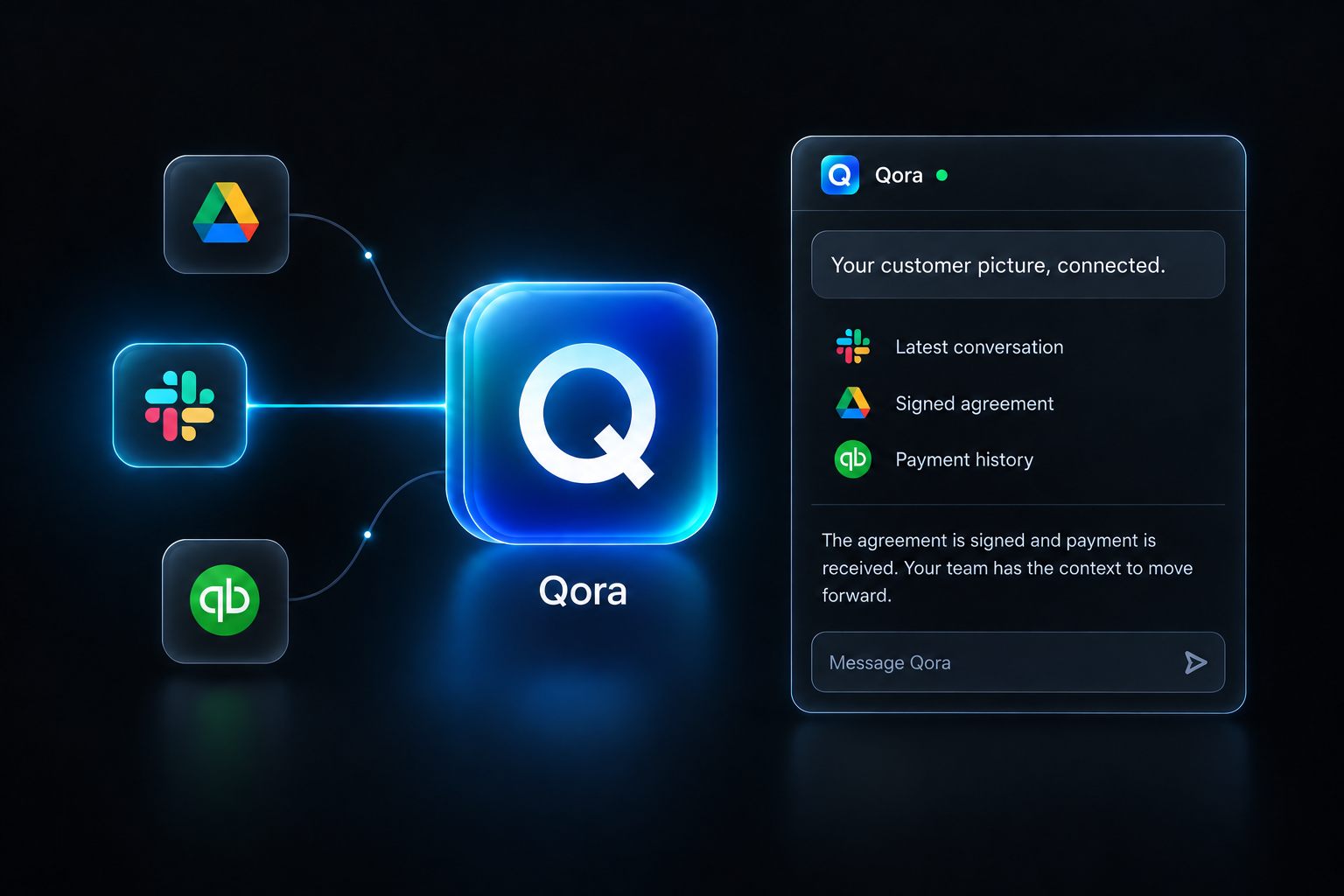
Is this customer ready for onboarding?
 Latest conversation
 Signed agreement
 Payment history
The agreement is signed and payment is received. Your team has the context to move forward.
Message Qora
03 / MCP
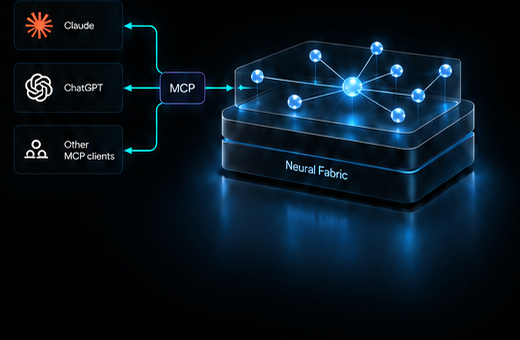
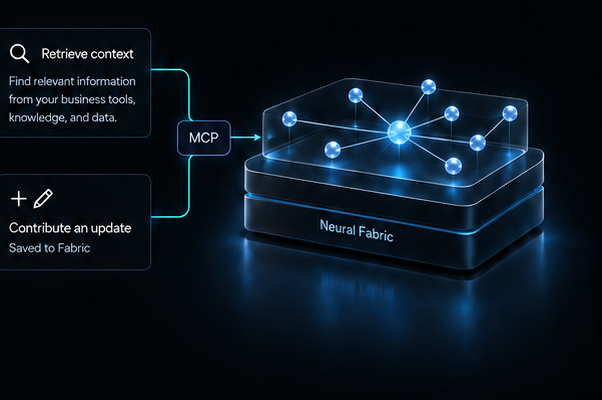
Use your business knowledge from the AI workspace you choose. Connect your apps, retrieve context, and contribute updates through MCP.
Connected services make their information and authorized tools available through Qorbit. Read information or perform a supported action in the source application. Save a contribution to Neural Fabric when it needs to remain available for later work.
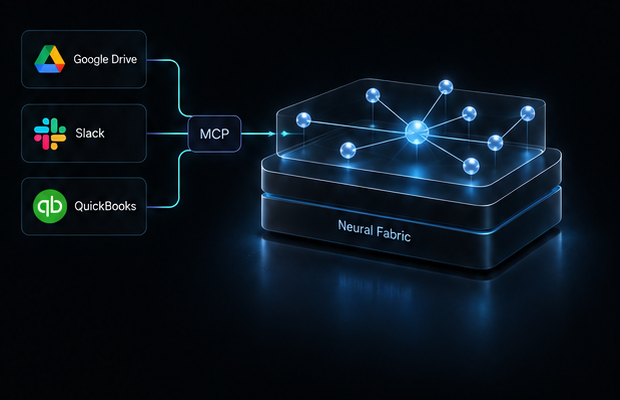
THE MCP ECOSYSTEM
2,400+ applications through the MCP ecosystem
Explore the connector catalog, or add a custom MCP server. Keep extending the tools available to your business as the ecosystem grows.
 Drive
Drive Slack
Slack QuickBooks
 Notion
 Atlassian
 Asana
Asana Linear
 Gmail
Gmail Calendar
 HubSpot
 Salesforce
 Stripe
 GitHub
 Figma
Figma BankSync
Sign in to add a custom MCP connection.

04 / SIGNAL
Signal triangulates across connected applications and business knowledge to uncover insights hidden in isolation. Its briefs explain what changed and why it matters.
05 / IN PRACTICE
Investigate and create with Qora, work across connected applications, and discover insights with Signal.
Investigate and create
Bring a research brief, supporting records and prior decisions into Qora. Examine the sources and develop the next piece of work.
Example
Work across applications
Use an authorized tool to carry out a supported operation in a connected application. Review the result where the work occurred.
Example
Follow developments
Use Signal to triangulate across connected applications and business knowledge to uncover insights hidden in isolation.
Example
Start with Qora or a compatible AI client. Add your information and connect the tools relevant to your work.